

Sequences
Sequences are the structure of the text: sūtra, section, paragraph, verse. They are built from tokens, they nest, and each one can carry its own translation and chāyā. This is the pass that turns a lemmatised word list into a readable edition.
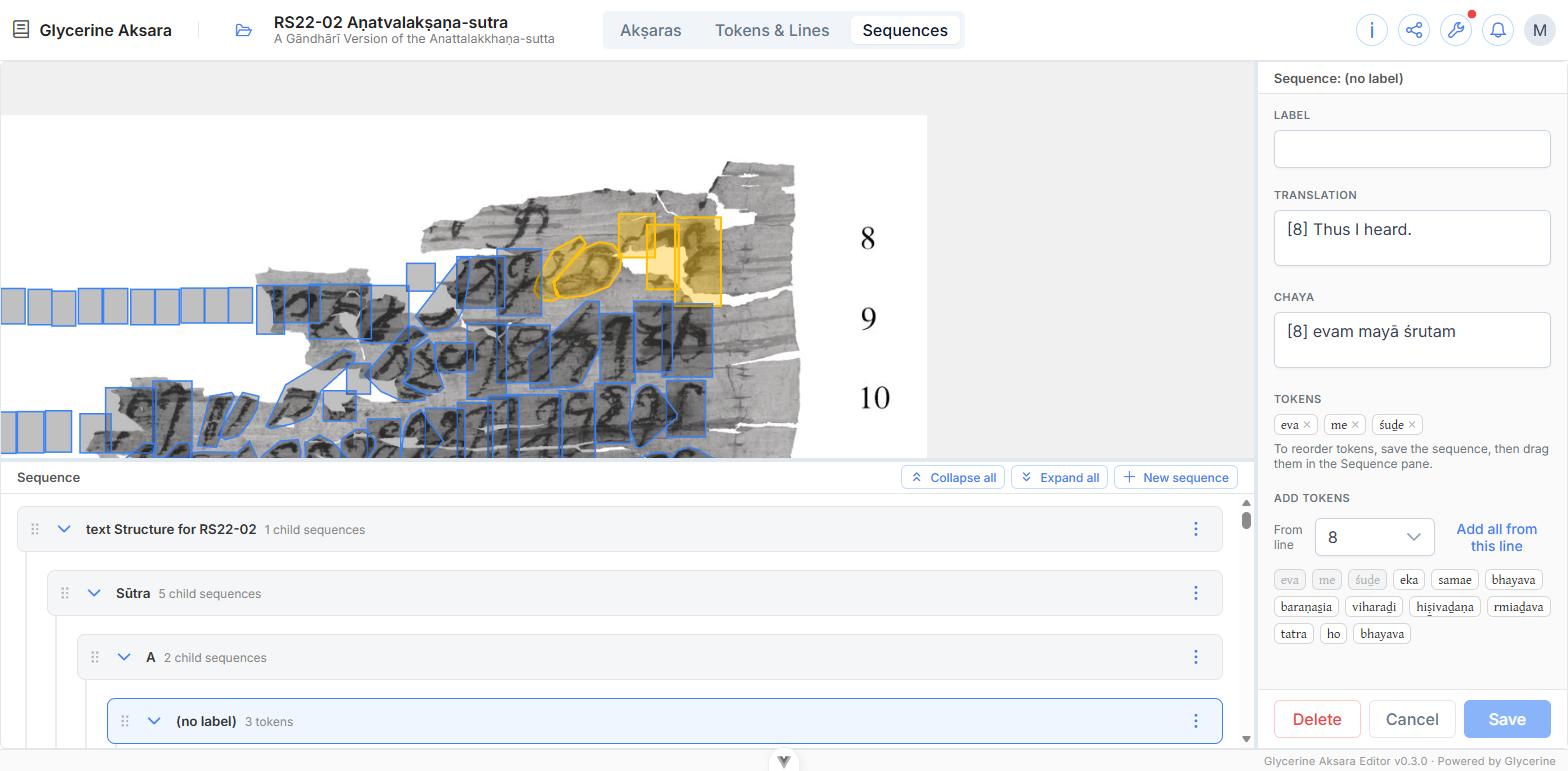
The tree
The bottom pane in Sequences mode is the hierarchy, with Collapse all, Expand all, and New sequence above it. A typical edition looks like:
Sūtra
├── A
│   ├── (no label)     3 tokens
│   └── (no label)     5 tokens
└── B
    └── …
Each row shows its label and its counts — 3 tokens, 2 child sequences, or both. Tokens live on the leaves.
An unlabelled unit shows as (no label), which is perfectly normal: a paragraph inside a titled section often needs no name of its own.
Creating and arranging
- New sequence adds one at the top level.
- A sequence's ⋮ menu inserts one before, after, or as a child of it — which is how the hierarchy is actually built.
- Drag by the grip to move sequences, or to reorder tokens within a sequence.
Editing a sequence
Click a sequence's header. The inspector opens, and the image highlights the tokens the unit contains.
| Label | The unit's name — Sūtra, A. May be left blank |
| Translation | The translation of this unit |
| Chaya | The chāyā of this unit |
| Tokens | The tokens in the unit, each removable with its ✕ |
Translations are conventionally prefixed with the line they begin on — [8] Thus I heard. — so the reader can find their place.
Adding tokens
Under Add tokens, choose a line from the From line dropdown. The tokens on that line appear as chips: available ones are live, ones already used by this sequence are greyed. Click to add, or use Add all from this line to take the whole line at once.
Adding a whole line at a time and then trimming is usually faster than picking word by word.
Reordering tokens is a two-step
Tokens added here go on the end. To put them in a different order, save the sequence first, then drag them by their grips in the tree. The pane says so.
What the reader gets
Sequences drive the Structure display in the Viewer's transliteration pane, where each unit's translation and chāyā can be shown aligned with its text, and the Sequences section of the edition report. An edition with no sequences still reads fine — the Structure switches are simply disabled.