

Tokens and Lines
A token is a word. In Tokens & Lines mode you build one by clicking the akṣaras it is written with, then giving it a lemma, an inflection, and a line.
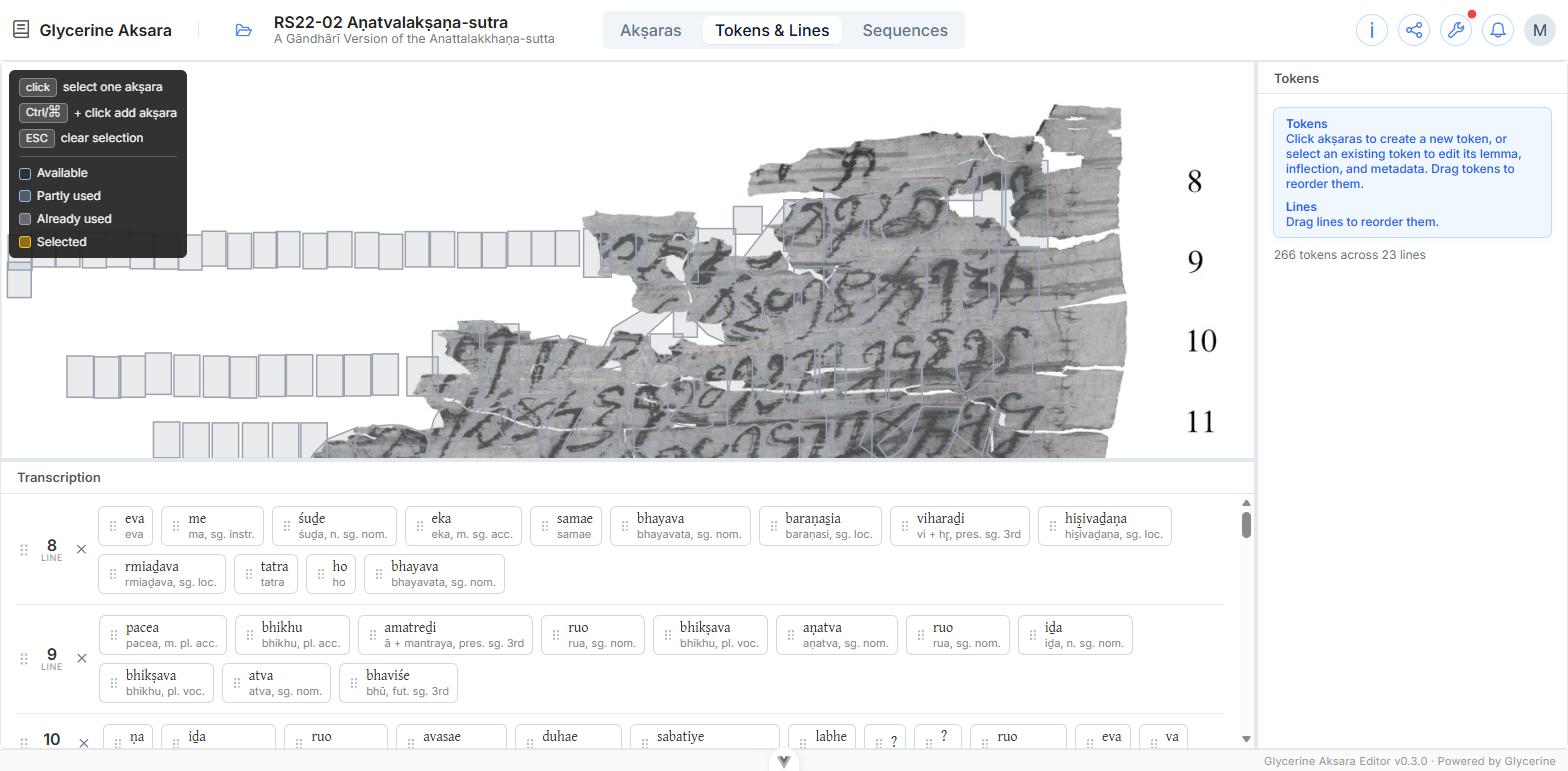
Selecting the akṣaras
On the image, akṣaras are shaded by how much of each has already been used:
| Available | Not yet used by any token |
| Partly used | Some of its graphemes belong to a token |
| Already used | Fully consumed |
| Selected | In the run you are building now — amber |
Then:
- Click an akṣara to start a run.
- Ctrl / ⌘ + click to add another.
- Esc clears the selection.
A fully-used akṣara is locked while a run is in progress, but is still available as a run's first selection — which is how a word that shares an akṣara with its neighbour gets started.
Trimming the run
Words do not stop where akṣaras do. The Grapheme run field shows one cell per grapheme in your selection, and clicking a cell trims it from the run — so a token can begin or end mid-akṣara.
This is how sandhi is handled. Where one sign carries the end of one word and the start of the next, both tokens select that akṣara and each trims away the half that is not theirs.
The rest of the form
| Lemma | The dictionary word. Pick an existing one or create a new one — see Lemmas |
| Inflection | The grammatical analysis. The fields shown depend on the lemma's part of speech — see Inflections |
| Translation | This word, here |
| Chaya | The chāyā of this word |
| Notes | Free text |
| In line number | Which line the word is on |
Lines
Lines are created as you go: type a label in In line number that does not exist yet and a new line is added at the end of the edition. Use the manuscript's own numbering — 8, 9, 10.
A word that runs over a line end is handled by Break across two lines: tick it, then choose the gap in the grapheme run where the break falls. The remainder goes onto the following line.
In the transcription pane, each line has a grip for dragging it into a different position and an ✕ that deletes the line and every token on it. Double-click a line's label to rename it.
Editing a token
Click its cartouche in the transcription pane. The image pans to it and highlights its akṣaras, and the inspector opens.
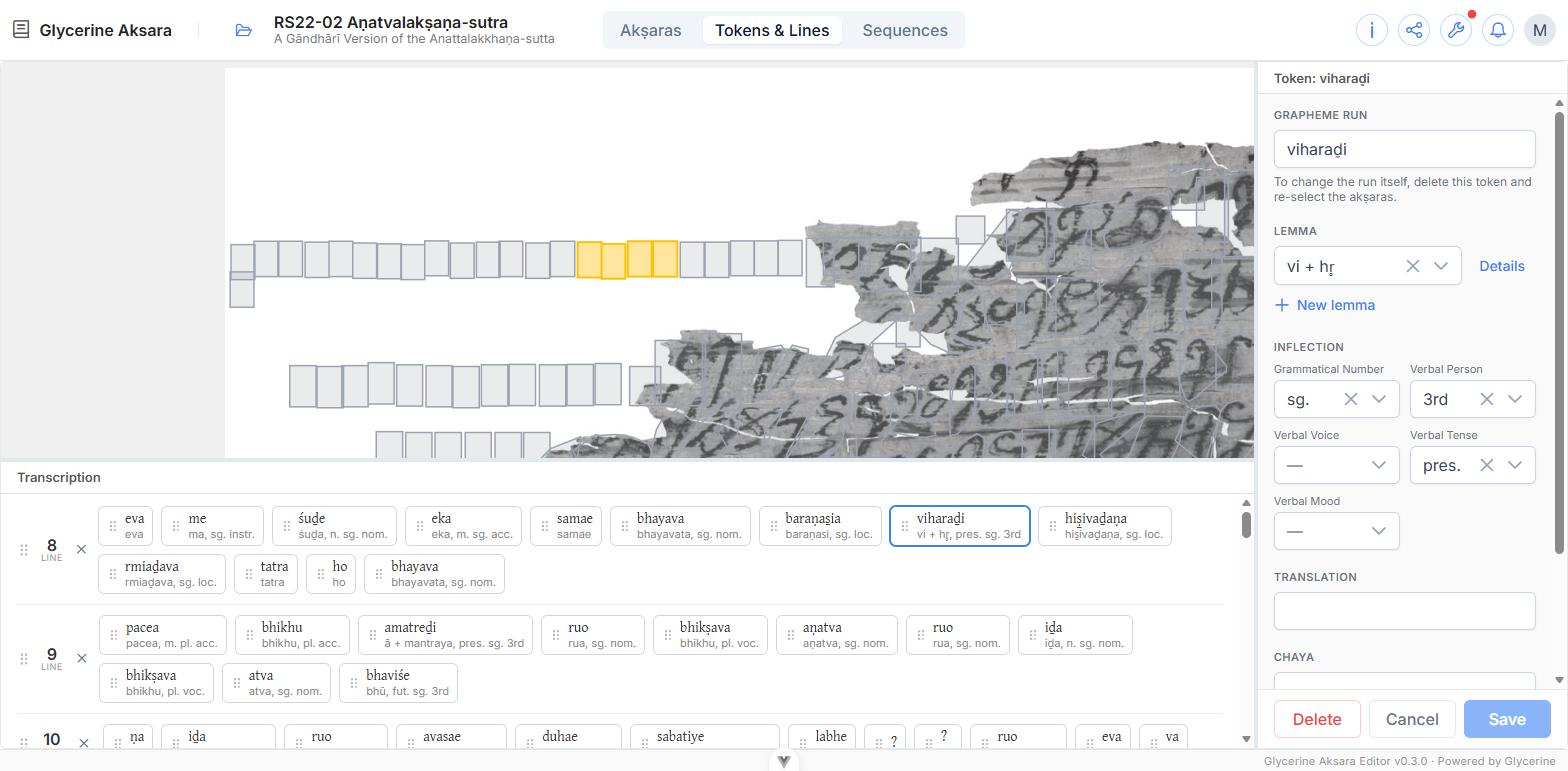
Everything is editable except the grapheme run itself: to change which akṣaras a token covers, delete it and re-select them. The pane says so.
Tokens can be dragged by their grip to reorder them within a line.
Reading the transcription pane
Each cartouche shows the word as written on top, and beneath it the lemma and inflection — viharaḍi over vi + hṛ, pres. sg. 3rd. A cartouche with no second line is a token with no lemma yet, which makes unfinished work easy to spot. A ? marks a token whose reading is undetermined.