

Editions
An edition is one scholar's reading of a text. A single manuscript can carry several — a published edition, a working one, a colleague's — and each holds its own akṣaras, tokens, and sequences. They share only the images.
Creating one
In Manage → Texts → Editions, use New edition.
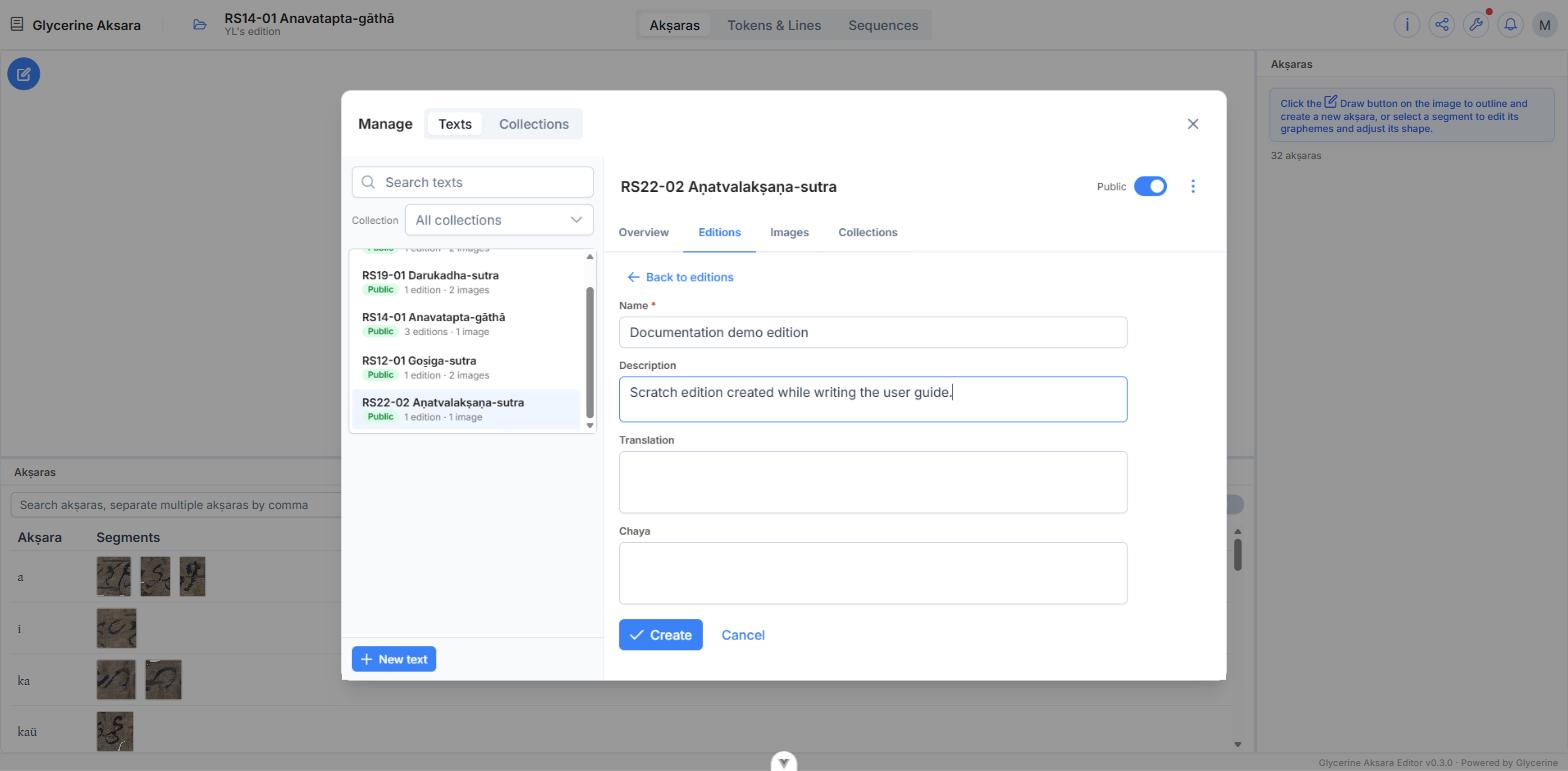
| Field | |
|---|---|
| Name | Required. The edition's title as readers will see it |
| Description | Free text about the edition |
| Translation | The running translation of the whole edition |
| Chaya | The chāyā of the whole edition |
Translation and Chāyā here are the edition-wide prose that the Viewer shows under its Translation and Chaya tabs. They are not the same as the per-sequence translations, which are entered on sequences and drive the Viewer's Structure display. An edition can have both.
A new edition starts empty and private
New editions are private — the badge on the row says so — and hold nothing at all. Opening one gives you the manuscript image with no outlines on it and an akṣara count of zero. That is the expected starting point; see How an Edition Is Built.
The row controls
| Open in editor | Loads the edition into the workspace. Double-clicking the row does the same |
| Edit (pencil) | Reopens the form above |
| Public | Publishes the edition — see Publishing an Edition |
| ⋮ → Delete edition… | Removes the edition and everything in it. Cannot be undone |
Deleting an edition does not touch the text or its images, and does not touch any other edition.