

The Edition Report
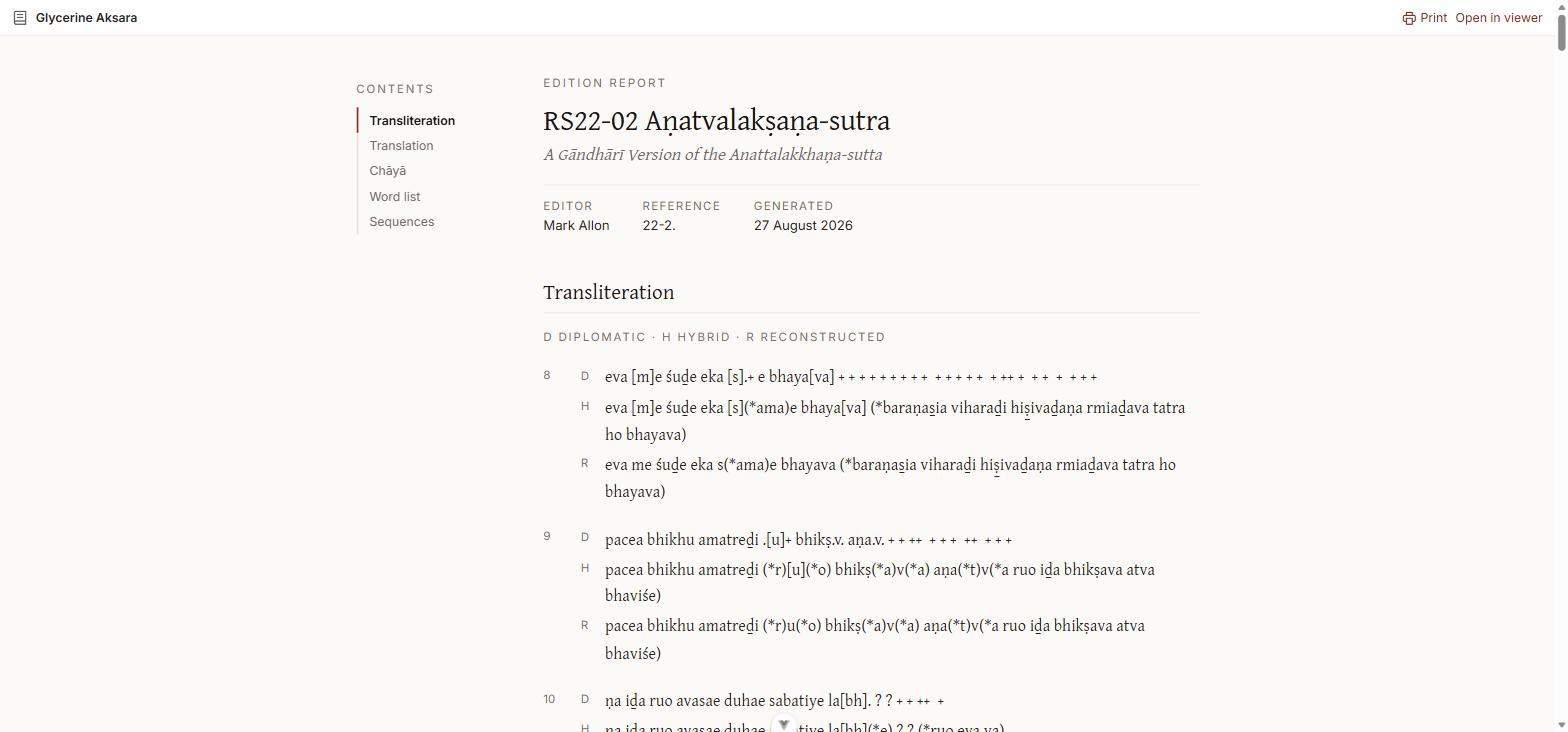
The report is the whole edition as one continuous document, laid out for reading straight through and for printing. Open it with the document icon at the right of the header; it opens in a new tab, leaving your place in the Viewer untouched.
What it contains
A masthead giving the text, the edition, the editor, the reference, and the date the report was generated — then these sections, each appearing only if the edition has content for it:
| Section | Contents |
|---|---|
| Transliteration | Every line in all three display modes at once |
| Translation | The running translation |
| Chāyā | The chāyā |
| Word list | Every headword with its attestations |
| Sequences | The editorial structure, nested, with translation and chāyā for each unit |
The contents rail on the left jumps between them and tracks where you are as you scroll.
Three readings at once
The transliteration section is the reason to open the report even when you are not printing. Each line appears three times, labelled in the margin:
- D — diplomatic
- H — hybrid
- R — reconstructed
Stacked line by line, so what the editor restored is visible as the difference between the rows, without switching modes and holding the previous state in your head. See Display modes for what each one shows.
Printing
Print in the top right produces a paginated document, each section starting on a new page.
Getting back
Open in viewer returns to the interactive Viewer with the same manifest and edition loaded.
Citing it
The report URL takes the same two parameters as the Viewer:
https://<viewer-host>/report?iiif-content=<manifest>&edition=<id>Line headings carry their own anchors, so a report link can point at a specific line. The URL always carries edition explicitly, so two readers following the same citation see the same edition even if one of them would otherwise have got the manifest's default. See Sharing and Citing.