

Word and Lemma Details
With the header set to Token scope, selecting a word opens its lexical record in the Details pane. Every akṣara of the word highlights on the image at once.
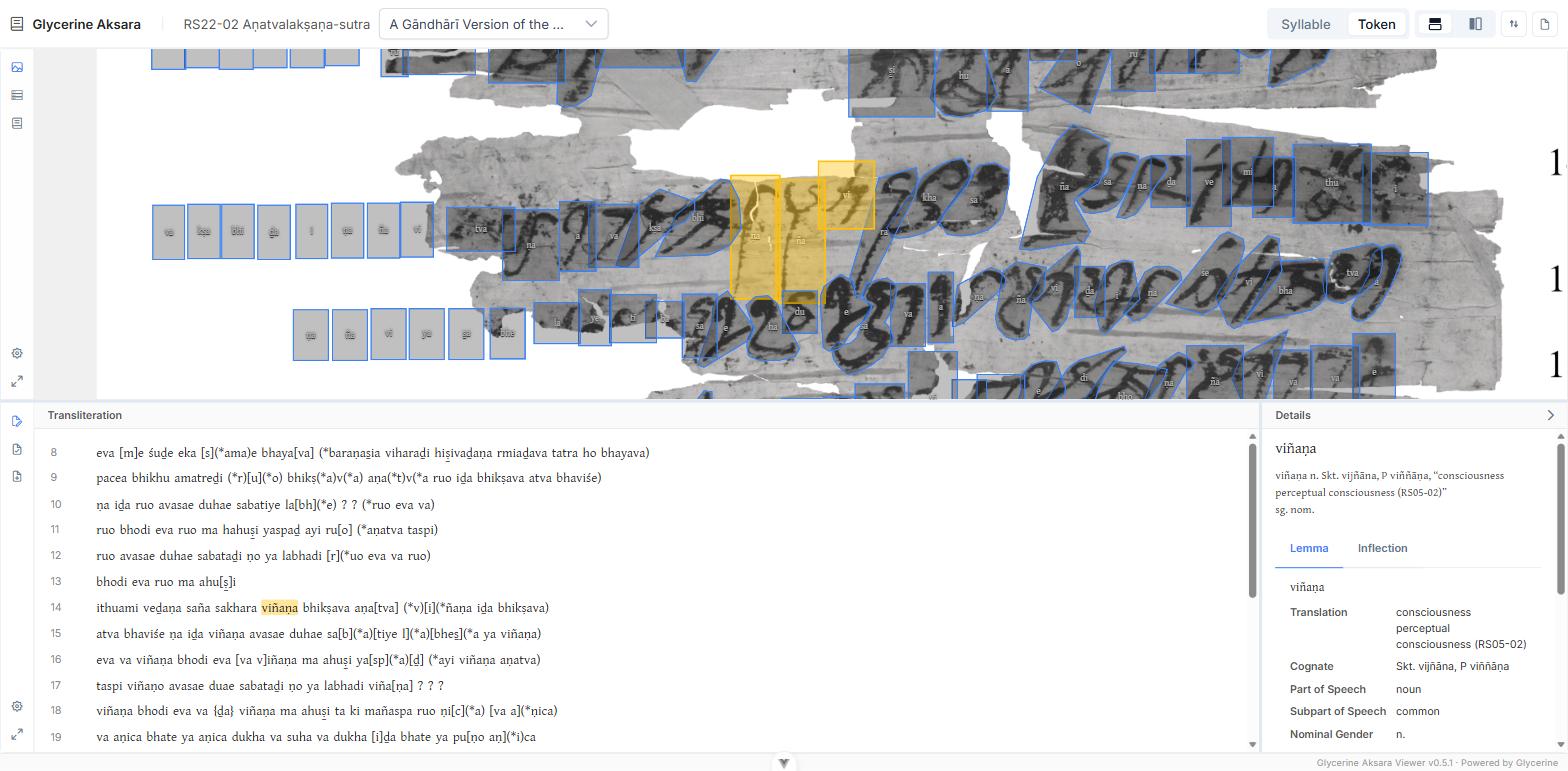
The glossary string
Directly under the attested form is the glossary string — the same compact entry the word would get in a printed glossary, assembled from the lemma and the inflection:
The tabs
Below it, up to three tabs appear. Only tabs with something in them are shown, so a word with no lemma attached shows fewer.
Token
Metadata the editor recorded on this particular occurrence of the word.
Lemma
The headword, followed by whichever of these the lemma carries:
Translation · Homograph Order · Cognate · Part of Speech · Subpart of Speech · Nominal Gender · Verbal Class · Declension · Link
Link is an external reference — a dictionary or database entry — and opens in a new tab.
Inflection
The grammatical analysis of this occurrence:
Case · Nominal Gender · Grammatical Number · Verbal Person · Verbal Voice · Verbal Tense · Verbal Mood · Verbal Secondary Conjugation
Only the categories relevant to the word are listed, so a noun shows no verbal fields.
Attestations
At the foot of the Lemma tab is every place this lemma occurs in the edition, as clickable pills:
-22-2:14 viñaṇa -22-2:15 viñaṇa -22-2:17 viñaṇo -22-2:26 viñaṇaspiEach reads text reference : line number, then the form actually attested there — so the inflectional variants of a lemma are visible at a glance without opening any of them.
Click one to jump to it. The text scrolls, the image pans, and the Viewer switches fragment if the attestation is on another canvas.
From one word to the whole vocabulary
The attestation list covers one lemma. For the whole edition's vocabulary at once, with filtering by part of speech and gender, use the glossary view.