

The Viewer at a Glance
The window is two panes and a header. The image pane shows the manuscript; the text pane shows the edition. Each pane has a narrow toolbar down one side that switches what the pane displays.
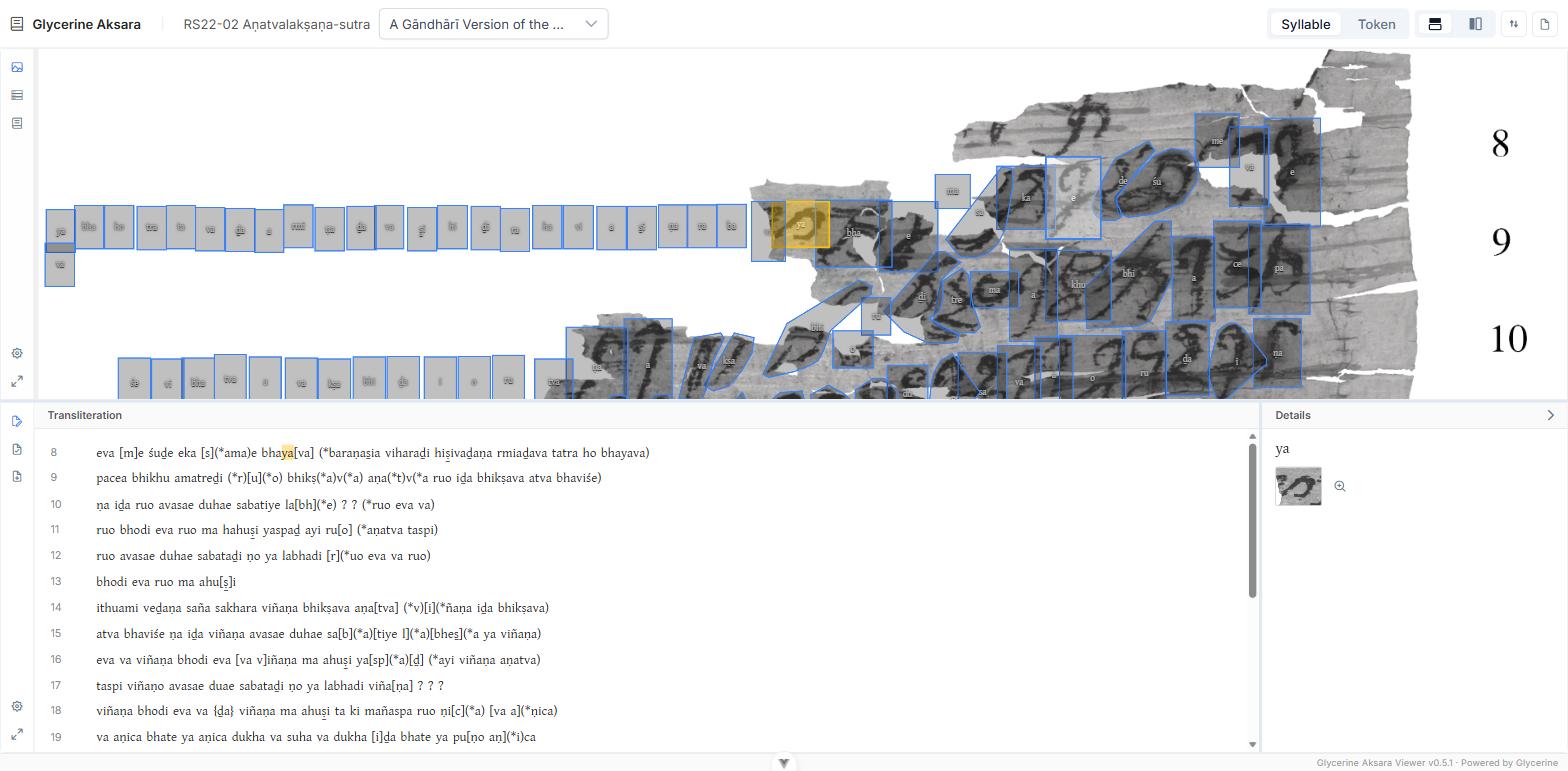
The header
From left to right:
- The text title — the manuscript this manifest describes.
- The edition dropdown — which edition of that text you are reading. See Opening an Edition.
- Syllable / Token — the selection scope. This is the single most consequential control in the Viewer; see Reading the Transliteration.
- Layout — two icons: panes stacked top-and-bottom, or side by side.
- Reverse Views — swaps which pane is first, so the text can sit above or to the left of the image.
- Edition report — opens the whole edition as a printable document in a new tab. See The Edition Report.
The layout and reverse controls are disabled while either pane is maximised.
The image pane
The toolbar down the side of the image pane switches it between three things:
| Mode | What it shows |
|---|---|
| Image | The deep-zoom manuscript image |
| Paleography | Every instance of each syllable, as cut-outs |
| Glossary | Every lemma attested in the edition |
Hover any toolbar button for its name.
Below them sit two more buttons:
- Image settings (gear) — the Outlines and Syllable transliterations switches. Available only in Image mode; see Navigating the Image.
- Maximise / Restore — gives the pane the whole window and back again.
The text pane
Its toolbar switches between three readings of the same edition:
- Transliteration — the edited text, syllable by syllable, linked to the image.
- Translation — the running translation, as continuous prose.
- Chaya — the Sanskrit/Middle Indic chāyā, as continuous prose.
Then, as on the image pane:
- Transliteration settings (gear) — display mode and the structure switches. See Reading the Transliteration.
- Maximise / Restore.
The Details pane
Selecting anything opens Details alongside the text — on the right in top-bottom layout, below in left-right layout. What it holds depends on the scope: a single akṣara and its cut-out in Syllable scope, or the lemma and inflection of a whole word in Token scope. See Inspecting an Akṣara and Word and Lemma Details.
It opens by itself when you select something in the transliteration, and collapses when you switch to Translation or Chaya. The chevron in its header collapses it by hand; you can also drag its edge to resize it.
Display settings are per-session
Outlines, syllable labels, the display mode, layout, and pane sizes are all held in memory for the session only. Reloading the page returns every one of them to its default. Only the manifest and the edition survive a reload, because only those two are in the URL.