

Paleography View
The paleography view collects every instance of each syllable in the edition and lays them out as cut-outs from the manuscript image — one row per syllable, every attested writing of it side by side. Open it with the table icon on the image pane toolbar.
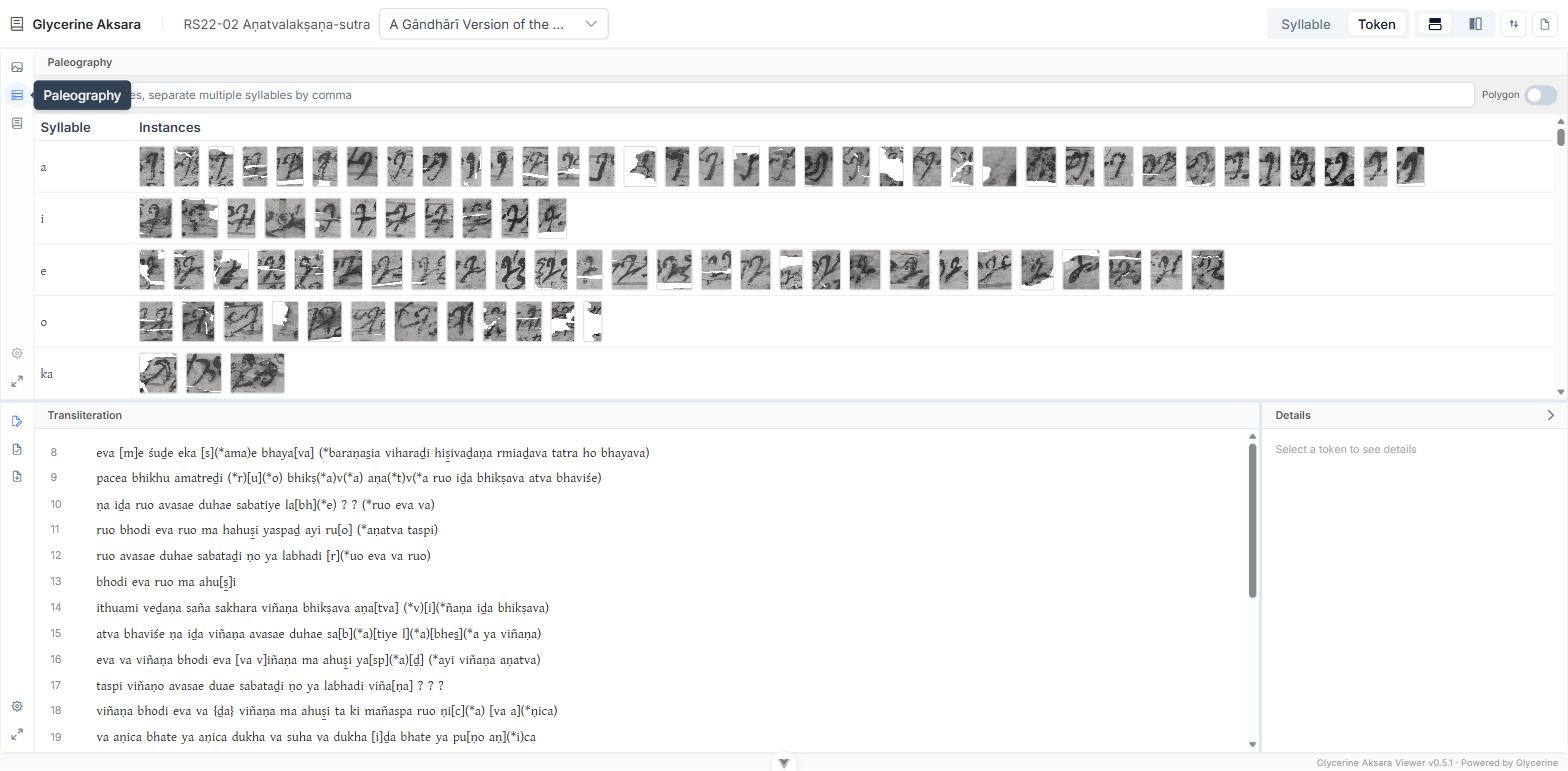
This is the sign chart for this hand, built from the edition rather than drawn by hand — and because each cut-out is the actual writing, variation within a row is variation in the scribe's practice, not in someone's transcription of it.
Finding a syllable
The search box filters by syllable. It matches whole syllables, not substrings, and takes several at once separated by commas:
ta, ṭa, da, ḍaThat puts the four rows adjacent, which is the arrangement you want when the question is whether the scribe distinguishes them.
Rectangle or polygon
The Polygon switch changes how each cut-out is clipped:
- Off (default) — a padded rectangle around the akṣara. Shows the sign in its immediate context: neighbouring strokes, the state of the surface, the line above and below.
- On — clipped to the recorded outline of the akṣara itself. Isolates the sign from everything around it, which is what you want when comparing forms.
Switch between them freely; it is the same data drawn two ways.
Selecting
Click a row to highlight every instance of that syllable in the transliteration. Click again to clear. The Details pane collapses while a row is selected — the row is the subject now, not any one sign.
Click a single cut-out to select that instance: the transliteration scrolls to it, and you can follow it back to its place in the text. Hovering a cut-out previews the same highlight.
Related
- Inspecting an Akṣara — one sign, enlarged and zoomable.
- Navigating the Image — seeing the same outlines in place on the manuscript.