

Inspecting an Akṣara
With the header set to Syllable scope, selecting a single akṣara — on the image or in the text — opens it in the Details pane.
What Details shows
- The reading, at the top, as the edition transliterates it.
- A cut-out of that akṣara, clipped from the manuscript image at its recorded outline. This is the actual writing, not a font.
- Segment metadata, if the editor recorded any for this akṣara.
Akṣaras with nothing surviving on the surface — restorations across a lacuna — have no cut-out to show, so none appears.
Enlarging it
Click the cut-out, or the magnifier beside it, to open the akṣara on its own.
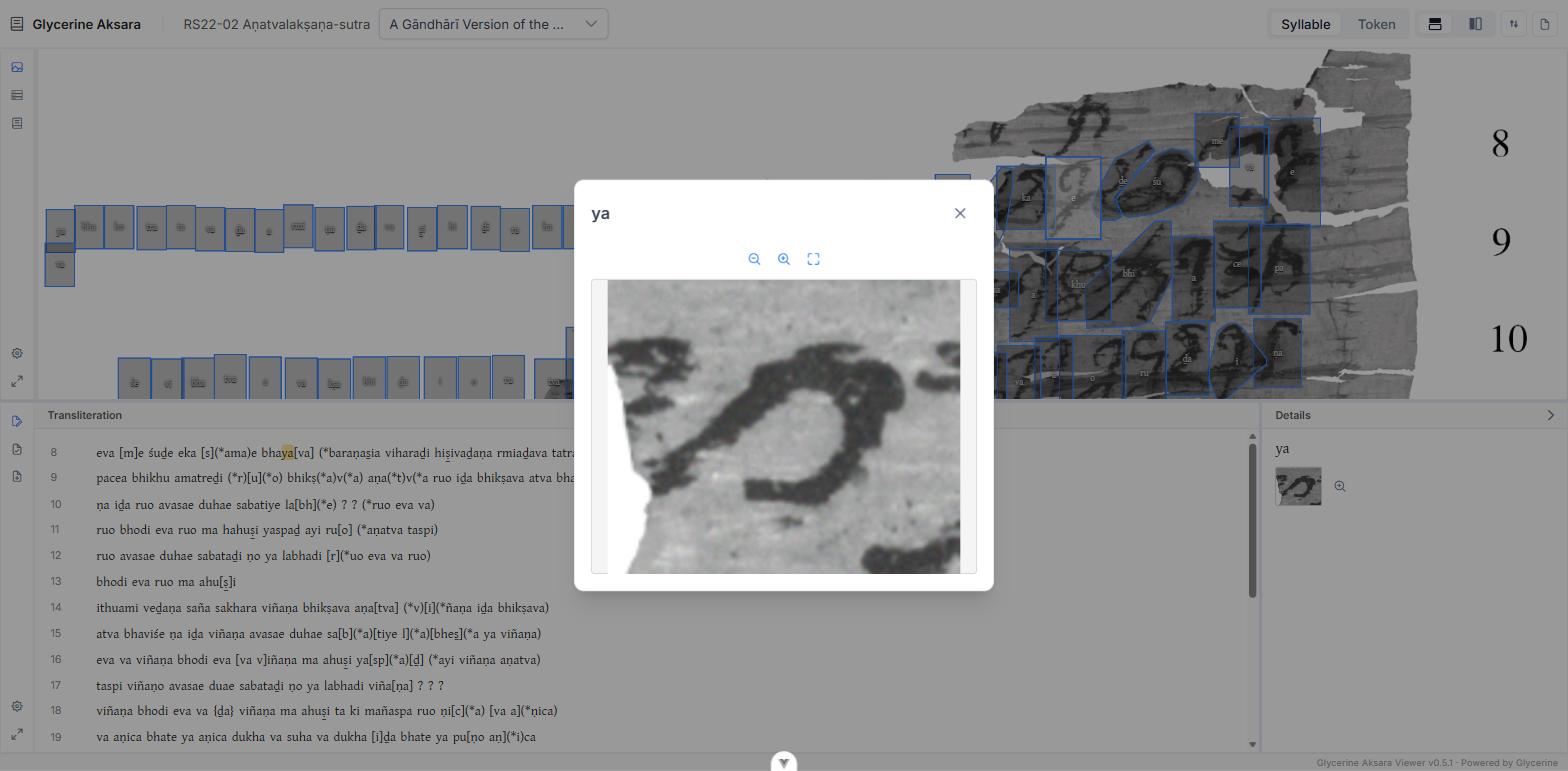
Inside the dialog:
- Zoom in / Zoom out step the magnification.
- Reset returns to the fitted view.
- Drag to move around when zoomed in.
Close it with the ✕, the Esc key, or a click outside. This is the tool for judging a doubtful sign: it goes well past the resolution at which the akṣara is legible in the image pane.
When to use it
Syllable scope answers questions about the writing rather than the language — is this really ṣa rather than sa, is that stroke a vowel diacritic or damage, does this sign match the hand elsewhere. For the third question, the paleography view puts every instance of a syllable side by side, and is usually faster than inspecting them one at a time.
For lexical and grammatical information, switch the header to Token scope — see Word and Lemma Details.